Perfect Jump
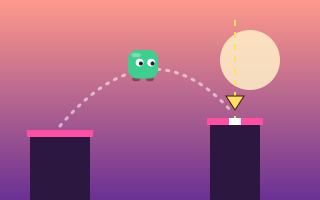
Press once as a sweeping marker crosses the next pillar, and chain center landings for up to 100 points each.
Wall Jump is a one-button climb between two walls: you slide slowly down one side, and each press launches you across to the other. The screen keeps moving up, so waiting too long is as dangerous as leaping into trouble.
Keyboard: Space / ↑ / W to jump · P pause · R restart
| Action | Keyboard | Touch / mouse |
|---|---|---|
| Jump | Space, ↑ or W | Tap the game or the JUMP button (mouse click works too) |
| Start / play again | Space or Enter | Start Game button |
| Pause / resume | P or Esc | Pause button above the game |
| Restart | R (after a run or while paused) | Restart button above the game |
The game pauses automatically if you switch tabs. Sound effects are generated in your browser and can be muted with the speaker button.
Every press sends you straight across to the opposite wall. You can't steer or stop in mid-air.
Climb as high as you can. Your score is your best height in meters, also shown next to the score as you climb.
The run ends if you touch a spiked wall section or a moving bar, or if you slide off the bottom of the screen. After your first leap the screen scrolls upward on its own, so the bottom edge keeps rising toward you.
Difficulty: Difficulty: Medium
Wall Jump is rated Medium. It uses a single button, but each leap is a commitment you can't adjust, and two separate clocks work against you: your slide speed grows with height, reaching more than double its starting rate by around 1,200 meters, and the screen's own upward scroll speeds up over time, roughly tripling by about two and a half minutes. Spiked sections get longer and more frequent up to about 1,500 meters, and the moving bars that start at 30 meters become more common and faster.
Press once as a sweeping marker crosses the next pillar, and chain center landings for up to 100 points each.
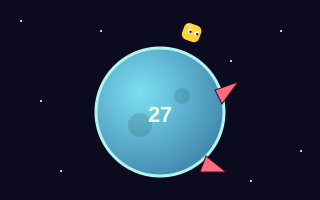
Circle a tiny planet and hop the spikes that sprout ahead, double jumping over pairs as each lap gets faster.
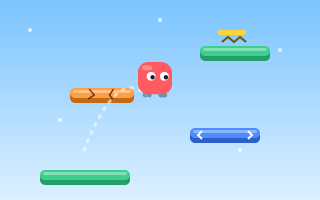
Bounce automatically, steer through wrap-around screen edges and climb past springs and crumbling ledges.
No. Every leap goes straight across to the opposite wall. Your only choice is when to press.
The screen scrolls upward after your first leap. If you slide below the bottom edge of the view, the run is over.
Press again right as you reach a wall. A press made shortly before landing is remembered, so you leave again immediately instead of sliding.
Tap anywhere on the game area or use the jump button under it. Each tap is one leap.
Why a single button is enough for a deep jumping game, how different one-button designs work, and what each asks of the player.
How vertical climbing games differ from side-scrollers, the kinds of pressure they use, and how to read and plan an upward climb.
A practical method for sharper jump timing: find a visual cue, diagnose whether you press early or late, and practice with focused drills.